Sales Pipeline
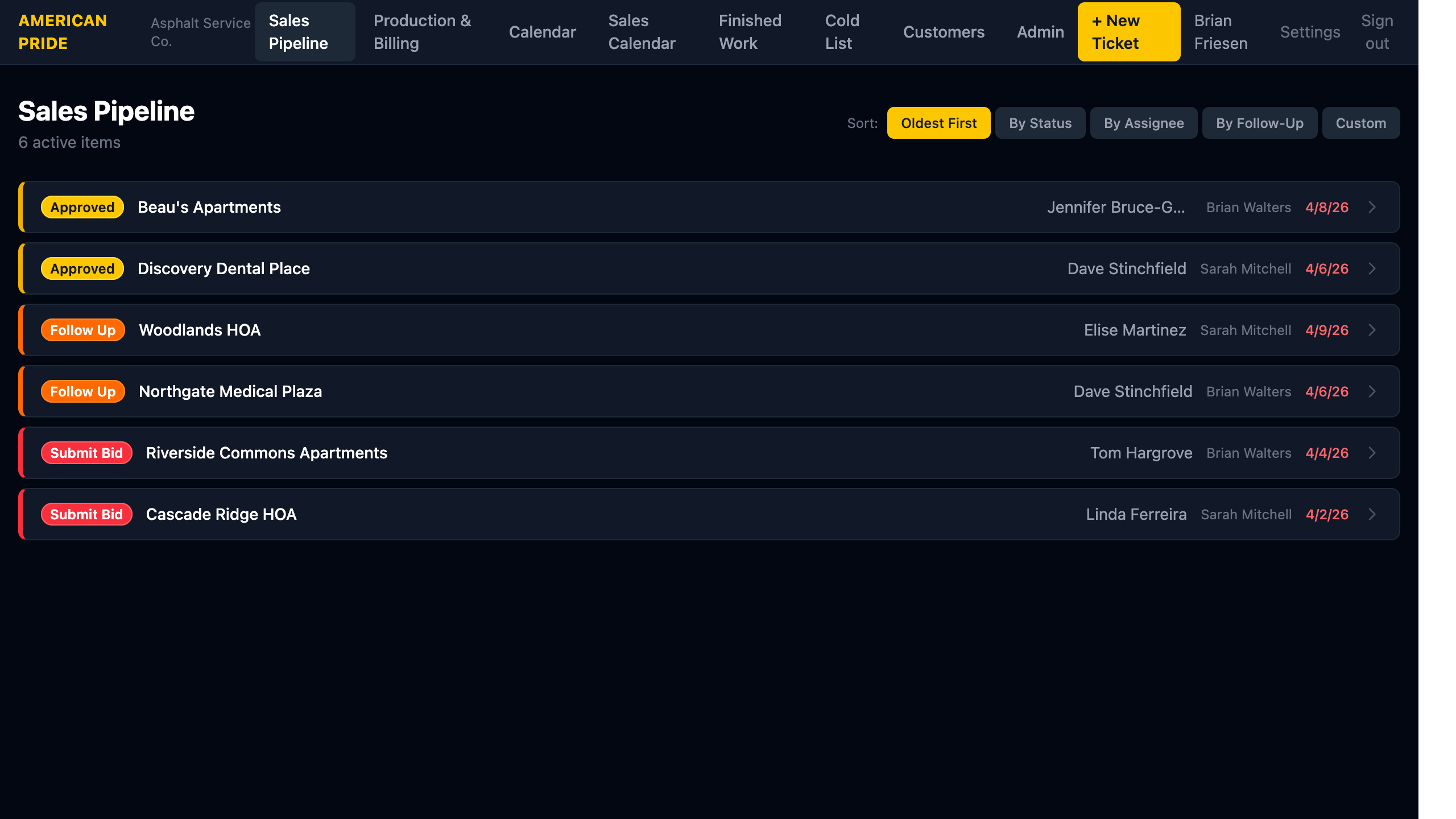
The Sales Pipeline is the home screen. It shows all open Tickets (BID_PENDING, BID_SUBMITTED) and newly Approved jobs waiting to be scheduled.
What You See
Each row shows:
- Status badge (color-coded — see Status Colors)
- Property name
- Contact name
- Assigned staff member
- Date — the contact date (tickets) or last-follow-up date
The count in the header ("6 active items") shows how many items are currently in the pipeline.
Sorting
Use the Sort buttons in the top-right to change the list order:
| Sort | Description |
|---|---|
| Oldest First | Oldest contact date at the top — default |
| By Status | Groups by urgency: Submit Bid → Follow Up → Approved |
| By Assignee | Alphabetical by assigned staff name |
| By Follow-Up | Earliest note due date first — great for daily triage |
| Custom | Drag-and-drop order saved per user |
Custom Sort
Custom order is stored per user — each staff member sees their own custom arrangement without affecting others.
Opening a Record
Click any row to open the ticket or job detail page.
Creating a New Ticket
Click + New Ticket in the top navigation bar to log a new customer contact.