Cold List
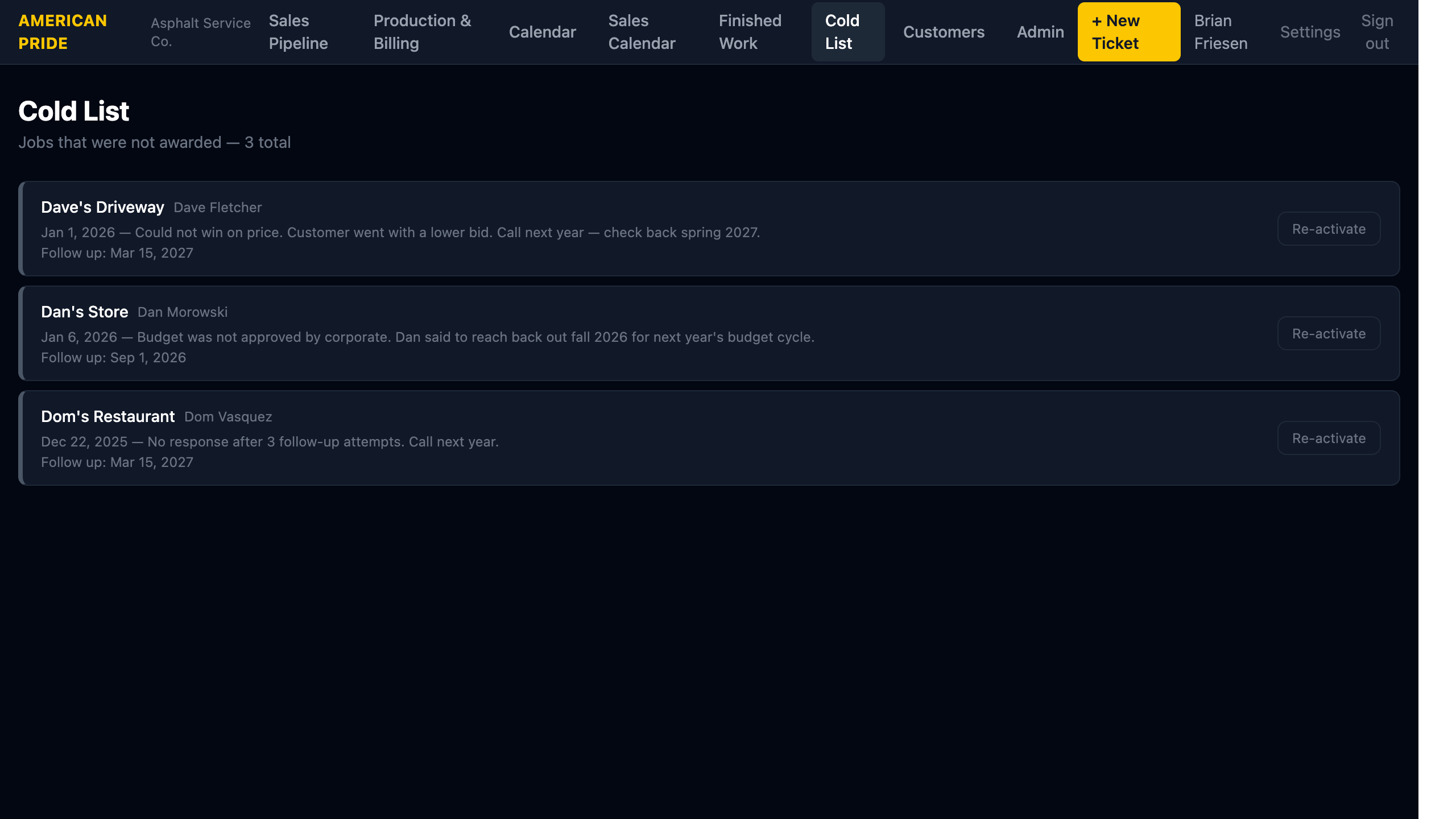
The Cold List holds jobs that were not awarded — bids that were lost, customers who went with a competitor, or prospects that went quiet. These are kept for potential future re-engagement.
What You See
Each entry shows:
- Property name and contact name
- The date it was added and a note explaining why it went cold
- A Follow up date for when to re-approach
Moving a Job to Cold
From any Job detail page, use the Change Status dropdown and select Cold. You will be prompted to add a note explaining the situation and optionally set a re-engagement date.
Re-activating a Cold Job
Click Re-activate on any Cold List entry to move the job back to Approved status in Production & Billing. Use this when you're ready to re-engage a past prospect.
Use the Follow-up Date
Always set a follow-up date when moving a job cold. It acts as a reminder to circle back — for example: "Customer said to call back spring 2027 for next season's budget."