Production & Billing
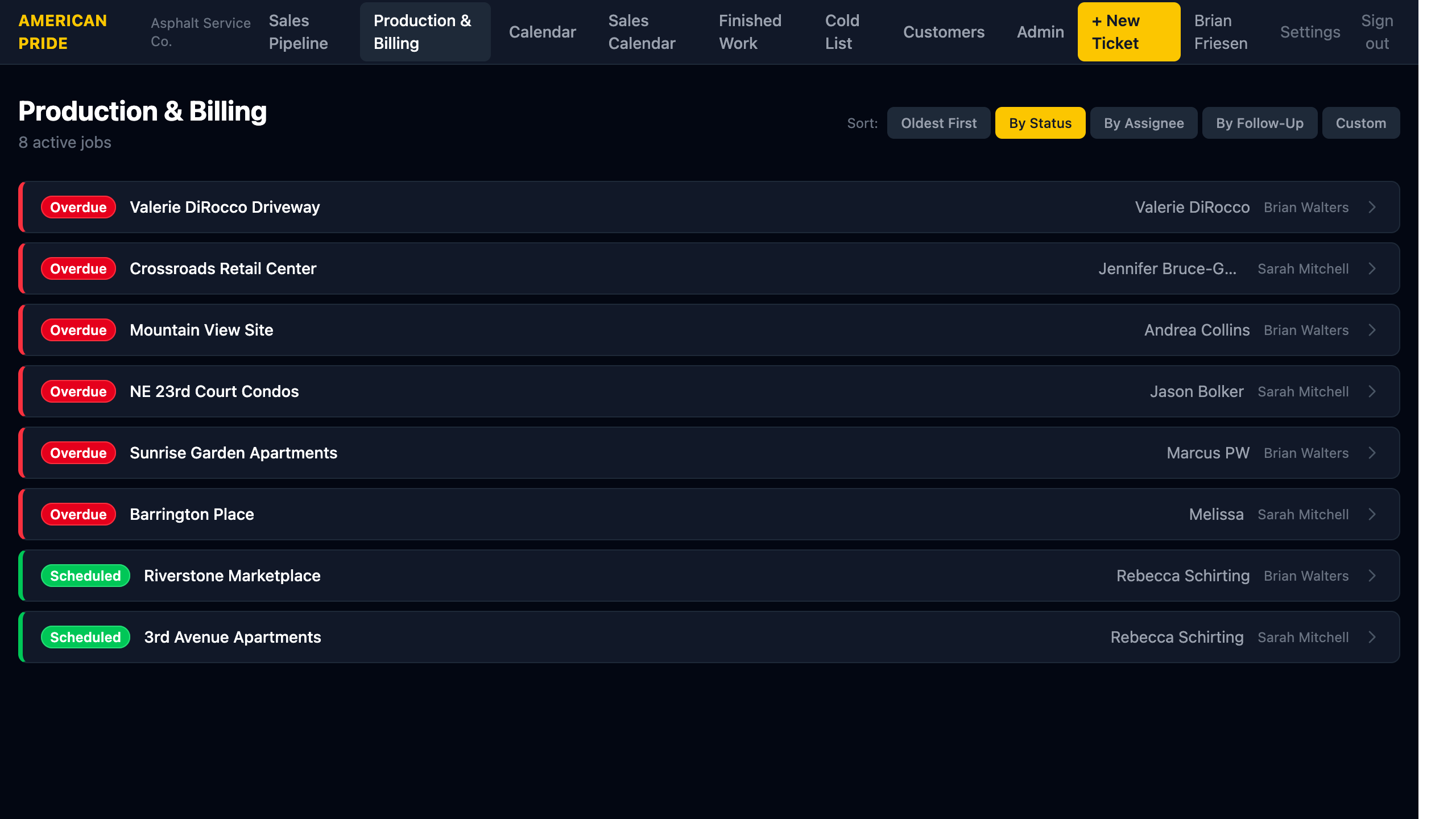
The Production & Billing view shows all active jobs — from Scheduled through Overdue. Use this page to monitor crew scheduling and track billing status.
What You See
Each row shows:
- Status badge — color-coded by urgency
- Property name
- Contact name
- Assigned staff member
The job count is shown in the header ("8 active jobs").
Statuses Shown
| Status | Color | Meaning |
|---|---|---|
| Scheduled | 🟢 Green | Work date confirmed — crew is booked |
| Completed | 🔵 Blue | Work done, invoice sent |
| Invoiced | 🟣 Purple | Auto: 14+ days after invoice date |
| Overdue | 🔴 Red | Auto: 30+ days after invoice date |
Approved Jobs
APPROVED jobs (yellow) are shown in the Sales Pipeline, not here — they haven't been scheduled yet.
Sorting
The same sort options as the Sales Pipeline are available: Oldest First, By Status, By Assignee, By Follow-Up, and Custom drag-and-drop.
Sorting By Status is recommended for Production & Billing — it puts Overdue (red) jobs at the top where they demand attention.
Taking Action
Click any row to open the Job detail page where you can:
- Mark the job as completed
- Record the invoice date
- Change the status manually
- Add notes and documents