Job Detail
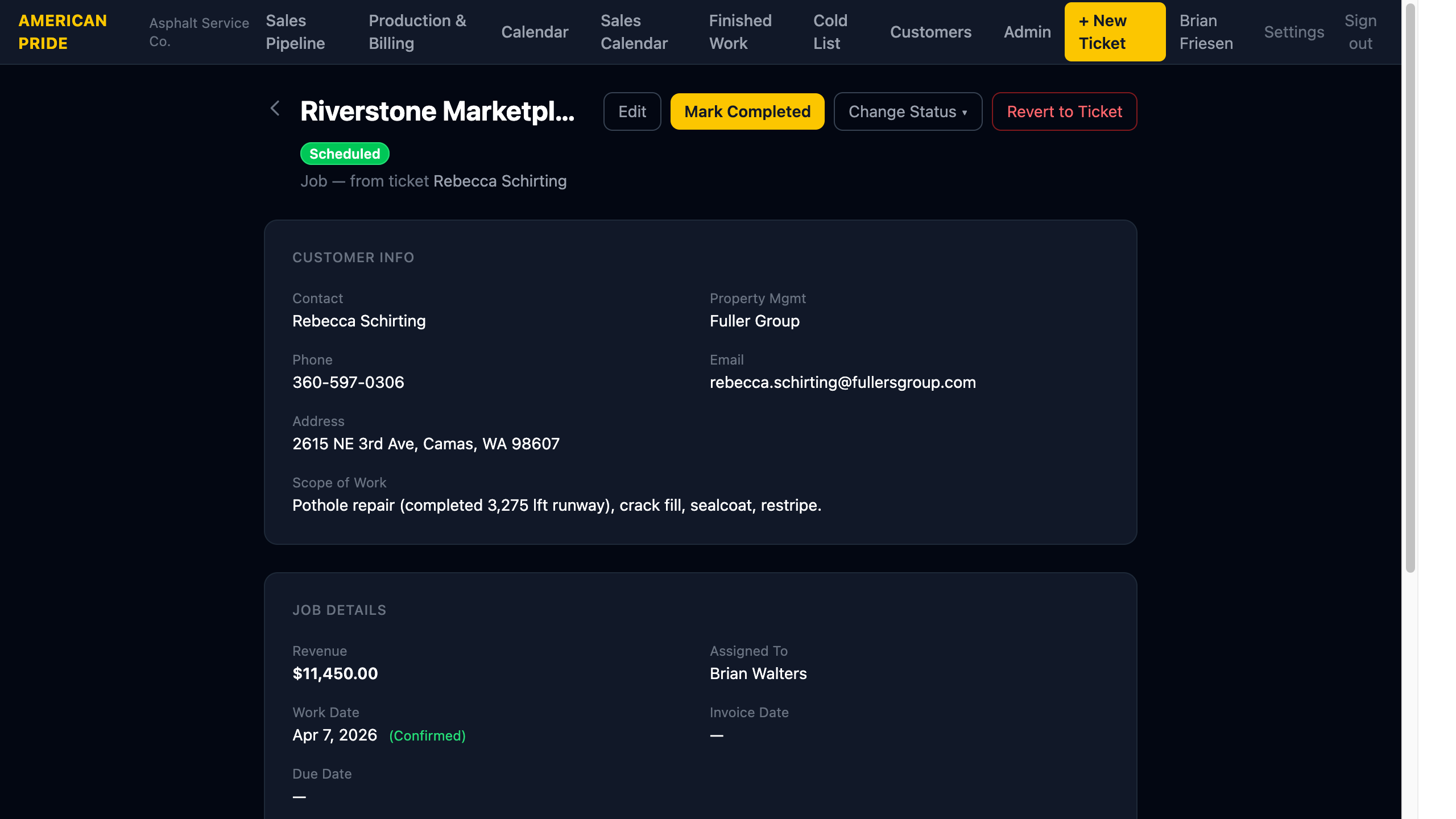
The Job detail page is the central record for a scheduled or active job. It contains customer info, job details, work history, documents, and notes.
Header
The property name and current status badge appear at the top. A link back to the originating ticket is shown below the property name.
Action buttons:
| Button | When it Appears | What it Does |
|---|---|---|
| Edit | Always | Update any job field |
| Mark Completed | When status is Scheduled | Sets status to Completed and prompts for invoice date |
| Change Status ▾ | Always | Dropdown to manually set any status |
| Revert to Ticket | Always | Moves the job back to a ticket (use only for corrections) |
Customer Info Panel
Shows the full customer details — contact name, property management company, phone, email, address, and scope of work. Click the contact name to open the Customer record.
Job Details Panel
| Field | Description |
|---|---|
| Revenue | Contract amount |
| Assigned To | Staff member managing the job |
| Work Date (Start) | Planned or confirmed start date for the work |
| Work Date End | Optional end date — set this when a job spans multiple days (e.g., June 1–3). Leave blank for single-day jobs. |
| Date Confirmed | Check this box when the work date has been confirmed with the customer. Confirmed jobs show as Scheduled (green) on the calendar; unconfirmed show as Approved (yellow). |
| Invoice Date | Date the invoice was sent to the customer |
| Due Date | Payment due date |
Customer Work History
Prior tickets and jobs for the same customer appear here, matched by property name or contact name. This gives context — you can see if this customer has worked with APA before.
Documents
Upload and manage files attached to this job (contracts, photos, bid sheets, etc.).
- Upload: Click the upload area or drag a file onto it. Maximum file size is 20 MB.
- Download: Click a document name to download it.
- Delete: Click the trash icon next to a document to remove it.
Files are stored securely in cloud storage.
Notes
Add timestamped notes for every customer interaction. See Notes & Documents for full details.