Calendar
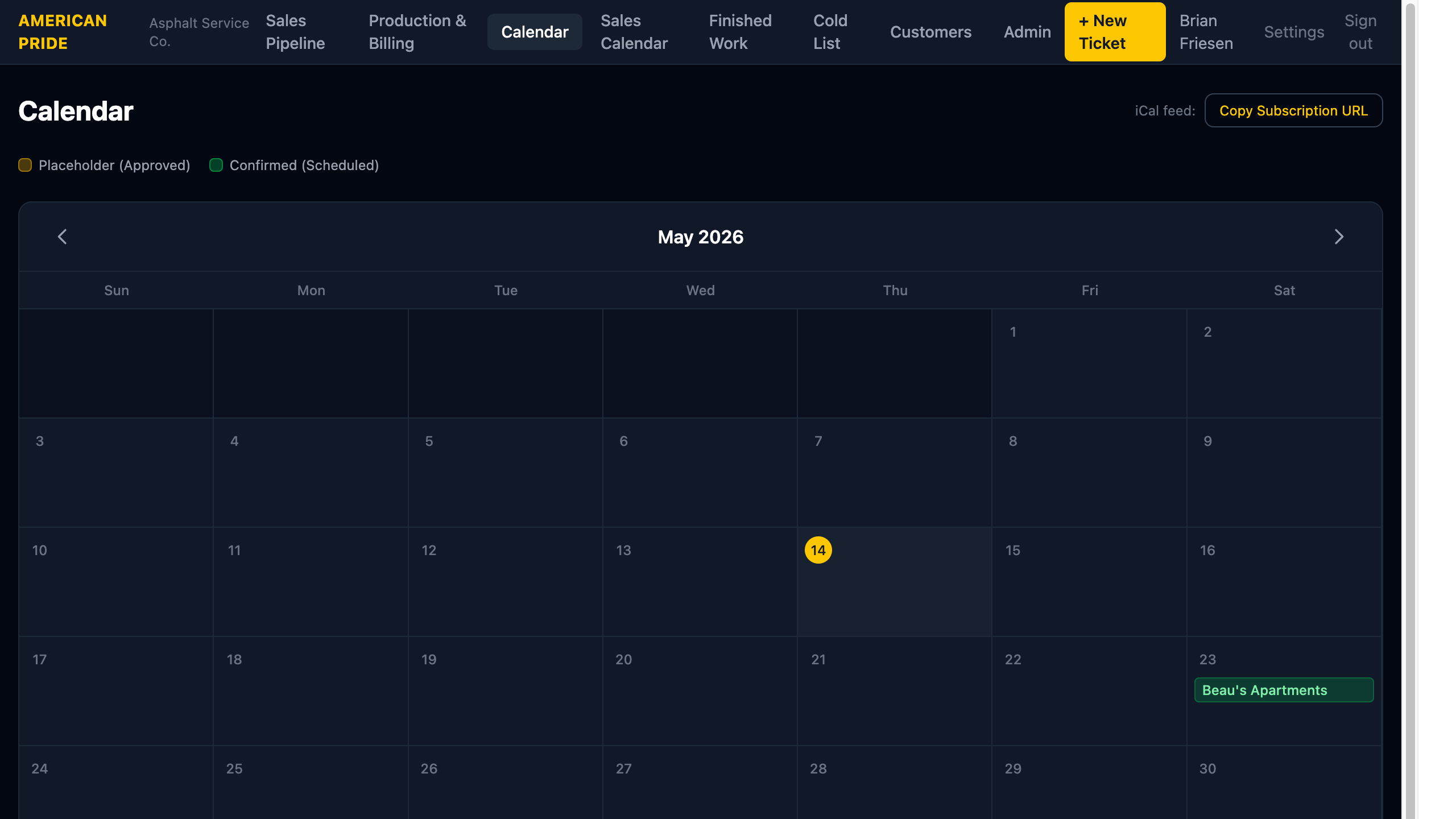
The Calendar shows all jobs with a work date on a monthly view. Use it to see crew workload at a glance and plan upcoming work.
Reading the Calendar
Any job with a Work Date set appears on the calendar, regardless of status. Events are color-coded by status so you can see at a glance what stage each job is in.
| Color | Status | Meaning |
|---|---|---|
| 🟡 Yellow | Approved | Placeholder date — not yet confirmed with customer |
| 🟢 Green | Scheduled | Work date confirmed |
| 🔵 Blue | Completed | Work done, invoice sent |
| 🟣 Purple | Invoiced | Auto: 2+ weeks after invoice date |
| 🔴 Red | Overdue | Auto: 30+ days after invoice date |
| 🩵 Teal | Paid | Payment received |
Click any event to open the Job detail page.
Use the ← → arrows to navigate between months.
Multi-Day Jobs
When a job spans multiple days (e.g., June 1–3), it appears as a continuous bar across those days on the calendar — the same way events appear in Google Calendar or Apple Calendar.
- The property name is shown on the first day of each row.
- If the span crosses a week boundary (Saturday to Sunday), the bar breaks at the end of the week row and resumes at the start of the next row.
- All days in the span are clickable and link to the same Job detail page.
iCal Subscription
The calendar can be subscribed to from any calendar app that supports iCal feeds (Proton Calendar, Google Calendar, Apple Calendar, Outlook).
- Click Copy Subscription URL in the top-right of the Calendar page.
- Open your calendar app and add a new calendar subscription.
- Paste the URL.
The feed updates automatically — you don't need to re-subscribe when jobs change. Multi-day jobs appear as multi-day events in subscribed calendar apps.
One-time Setup
Subscribe once and the calendar stays current. Events include the property name, address, scope summary, and assigned staff.
Difference from Sales Calendar
| Calendar | What It Shows |
|---|---|
| Calendar (this page) | Work dates — when crews are on site |
| Sales Calendar | Follow-up due dates — when to contact customers |